
 Membership
 Network
 Regional Sites & Affiliates


 Events
 Participate
 Resources

 Training
 Credentials
 Government


 Content Channels
 Tools
Tools


 Business Overview





Case Study: AstraZeneca
How to manage thousands of annual visitors
Imagine managing a facility that receives thousands of visitors per year, often international, and in an environment where corporate security is paramount. Picture a business partner delegation arriving from overseas, perhaps a dozen visitors, and every individual needs to be screened and registered by the security desk. Once registered, each person must be given a visitor sticker.
This face-to-face process could last 15 to 20 minutes or more for the group. It crowds the lobby and perhaps makes guests late for their visit. Valuable collaboration time is lost, as well as the opportunity to make a great first impression.
This scenario depicts one of several challenges the site operations team sought to eliminate at the Gaithersburg, Maryland campus of AstraZeneca, a global, science-led biopharmaceutical company. The site operations team is continually focused on the employee experience, and it aims to improve the environment and the tools to support innovative science at the biopharmaceutical company.
To understand the team’s challenges, it’s important to look at the nature of the industry it operates in. The science of biopharma, and the biologics research and development conducted at the Gaithersburg location, includes a great deal of external collaboration. Each year thousands of visitors arrive at the facility, and the site operations team needed a solution to streamline the visitor process. As they considered upgrades in visitor management and security, the site operations team’s goal was to elevate the guest experience to match the overall expectations of the site.
Achieving that goal required improvements in visitor management from three perspectives:
-
Site operations/security
-
Employee (host)
-
Guest
As described below, visitor management at the facility evolved over time, particularly in response to business growth and opportunities presented by advances in technology and site transformation.
Ad-hoc registration
A decade ago, a host would register a guest through an email to security. The host might dash off a message that said, “Hey, this person is coming for a meeting, please notify me when they arrive.” Almost any system can handle one or two visitor requests like this fairly well.
It’s when the groups arrive that the system’s weakness is revealed. Steady growth at the company’s Gaithersburg site has led to a similar increase in the number of visitors, both individuals and groups. The Gaithersburg Campus consists of nine facilities and hosts many biotech and other events throughout the year. Just over 22,000 guests visited the Gaithersburg Campus in 2018. The email stream to the security staff would’ve become a flood, backing up the process, if the system had remained unchanged. And when large groups arrived, check-in through security desks was a time-consuming process.
First step: The platform
In 2014, the site moved to a software-based visitor management system with local servers to house the data. Employees could use the platform to register their guests in advance of the visit. When guests arrived, the security staff would have a running start in registering the guests.
Limitations to the system remained, however. If the details of a visit changed (new time, additional guest), there was no way to modify the visit in the system. Hosts would need to set up a new visit and contact the security desk to disregard the previous one. Once again, multiple emails were needed and the platform only managed part of the registration process. Additionally, periodic glitches with the local servers for the platform would temporarily block visitor registration.
There were also significant gaps in the guest experience. While there were best practices in place, there was no guarantee that every guest was having the optimum experience. For example, how do guests get directions to the campus, and instructions on where to park and find the visitor entrances? When are guests given the site brochure, with the OSHA-required safety and security policies?
There was no way to streamline the process to make sure each guest received an optimum experience. The team recognized new options in the visitor management market could address these concerns. A substantial upgrade became highly appealing for the site.
The right time
A decade ago, self check-in kiosks were already in wide use in airports, but similar devices for corporate settings were still bulky, unattractive, and expensive. Facility managers face these cost-benefit decisions all the time – when does it make sense to upgrade? What goals will be met by doing so?
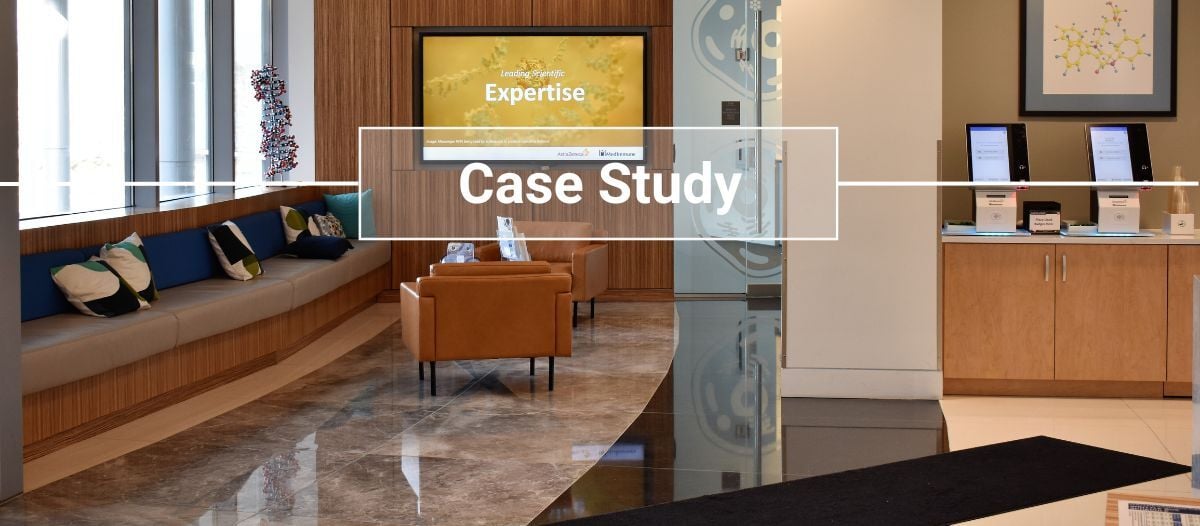
For the Gaithersburg site operations team, the decision to upgrade the visitor management system was given some urgency by facility renovations that included the main lobby of the largest building on site. This renovation allowed integration of smaller, more attractive, and more affordable kiosks into the lobby redesign.
At the same time, the lobby was opened to the surrounding areas and secured with turnstiles that can read both employee badges and visitor passes. The lobby renovation provided an opportunity to pilot the turnstiles before planned deployment to other buildings in 2020. Additional kiosks were deployed to other building lobbies, so the same visitor management process was applied across the campus.
Security guidance
As a result of a discussion with other sites, a planned tablet-based visitor check-in solution was tabled due to the impending EU General Data Protection Regulation concerning data privacy. The Gaithersburg team was advised that the tablet system allowed visitors visibility into people working at the site through a searchable building directory. While that option may be beneficial in some industries, it was not the preferred modality for this company.
Data security and privacy had to be considered before a solution was chosen. Guests to the facilities are welcomed by invitation, and the system had to provide a secure online platform with cloud backup that connects to kiosks in the lobbies. The chosen solution met all these requirements before it was implemented.
The visitor lifecycle
Under the new system, employees create a visit through an online dashboard. Once submitted, an email is sent to the guest(s). Using a link to the system, guests pre-register for their visit online. With a QR code in their smartphone (or just their name), guests can check in at the kiosks upon arrival, which sends an email notification to the host. The host meets their guest or group in the lobby, swipes their badge at any kiosk to complete the sign-in and guest badges are printed.
The new system met needs from all three “visit” perspectives:
For site operations & security:
-
System allows tracking of visitors in the event of an emergency
-
System captures metrics related to guest experience
-
Visit details are up-to-date
-
Cloud storage eliminates vulnerability to local power and IT glitches and saves space
For hosts:
-
Employees can register visits as the host, or for another host
-
Details of a visit can be adjusted and shared
-
Groups can be registered
-
Confirmation of visit is shared immediately
- Hosts are notified as soon as the guest checks in at a lobby kiosk
For guests:
-
Guests receive an email that guides them through the pre-registration process
-
Guests can read and acknowledge important site policies and receive directions to the campus
Despite the many benefits of the “virtual reception,” Gaithersburg still maintains a reception/security desk in each building, as well as a campus concierge in the campus’ main facility. The security team can address visit-related issues, check baggage for out of town visitors, or complete registrations if necessary. The security staff are also needed if an employee shows up to greet a guest without their own badge – which of course never happens!

Brooks Cucuel, CPP, PCI, PSP, is a board-certified security professional with over 20 years in the security industry. He is the senior manager, Security & Business Resilience for AstraZeneca’s Gaithersburg, Maryland site.
References
Top image courtesy of AstraZeneca
Read more on Risk Management or related topics Case Study , Occupant Security and Physical Security
Explore All FMJ TopicsRelated articles
-

A New Approach
Improving business continuity with alarm managementBy Brad Freeman09.09.2024 -

Beware of Growing Cyberthreats
Why it’s time for stronger facility cybersecurityBy Andrew Harris & Eric Headington10.30.2024 -

Going Up?
Keeping elevators safe & compliantBy Dave Myers & Doug Taylor11.06.2024